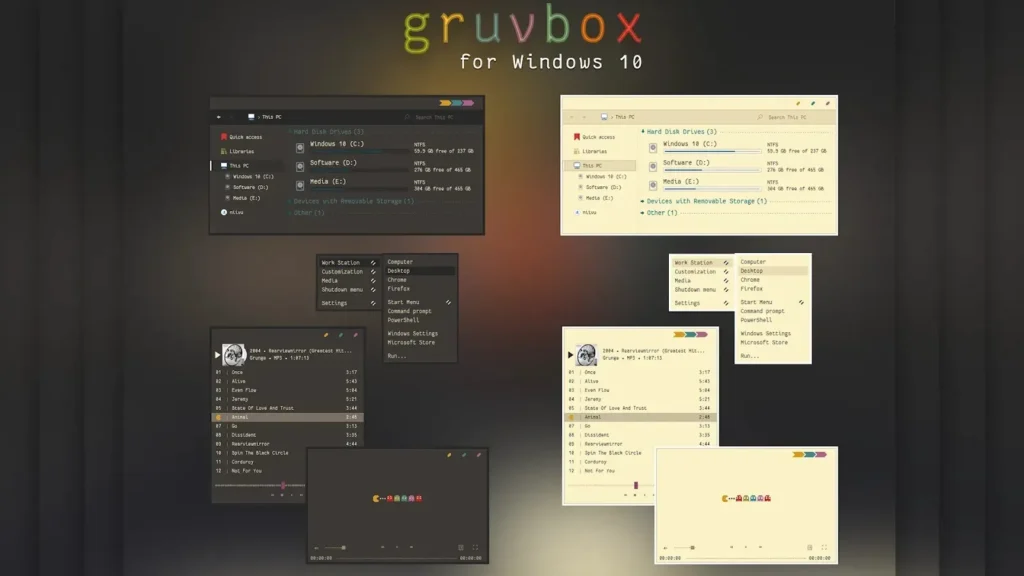
Choosing the right coding theme can make a bigger difference than many developers realize. When you spend hours every day writing code, reading documentation, and debugging applications, the colors on your screen directly affect your comfort and productivity. Among the many coding themes available today, Gruvbox has become one of the most popular choices. Its warm retro-inspired color palette, balanced contrast, and excellent readability have helped it build a loyal following among programmers around the world. One of the most common questions new users ask is whether they should choose Gruvbox Dark or Gruvbox Light. While both versions share the same design philosophy, each offers a unique experience depending on your work environment, personal preferences, and coding habits. Understanding the differences between these two themes can help you make the best choice for your daily workflow.
Understanding Gruvbox
Gruvbox is more than just a collection of colors. It is a carefully designed theme created to improve readability and reduce eye strain during long coding sessions. Unlike themes that use bright neon colors or extreme contrasts, Gruvbox relies on warm earthy tones that feel comfortable and natural. The theme was originally developed for Vim users but quickly expanded to support many popular development tools including Visual Studio Code, Neovim, IntelliJ IDEA, and various terminal emulators. Developers appreciate Gruvbox because it focuses on functionality rather than visual effects. Every color has a purpose, helping users quickly identify keywords, functions, strings, comments, and other code elements.
What Makes Gruvbox Dark So Popular
Gruvbox Dark is the version most developers recognize. It features a dark background combined with warm accent colors that create a comfortable coding environment. One reason for its popularity is its ability to reduce screen brightness, especially in low-light environments. Developers who code late at night often find dark themes easier on their eyes because they produce less glare.
Another advantage of Gruvbox Dark is its modern appearance. Many programming tools and operating systems now offer dark interfaces, making Gruvbox Dark blend naturally into existing workflows. The theme provides strong visual separation between different code elements without relying on overly bright colors. This helps developers stay focused while reducing visual distractions.
Many programmers also believe that dark themes help them concentrate better. Because the darker background fades into the background, attention naturally shifts toward the code itself. This creates a clean and professional workspace that many developers enjoy using for extended periods.
Benefits of Using Gruvbox Dark
One of the biggest benefits of Gruvbox Dark is comfort during long coding sessions. The darker background helps reduce overall screen brightness, which can be particularly helpful when working in dimly lit rooms. Many developers report less eye fatigue when using dark themes for extended periods.
Gruvbox Dark also offers excellent readability. The carefully selected colors make it easy to distinguish between different syntax elements. Functions, variables, keywords, and strings are clearly visible without overwhelming the user with excessive contrast. This balance allows developers to understand code quickly and efficiently.
Another advantage is its popularity within the developer community. Because so many programmers use Gruvbox Dark, there are countless tutorials, screenshots, configuration files, and customization guides available online. This makes it easier for new users to get started and personalize their setup.
Why Some Developers Prefer Gruvbox Light
While Gruvbox Dark receives most of the attention, Gruvbox Light has a dedicated group of supporters. Many developers who work in bright offices or during daylight hours find light themes more comfortable. In well-lit environments, a bright background often feels more natural and easier to read.
Gruvbox Light maintains the same warm color palette and design philosophy as the dark version. However, the brighter background creates a cleaner appearance that some users prefer. Reading large amounts of code on a light background can feel similar to reading text on paper, which many people find more familiar and comfortable.
Developers who spend time writing documentation, reviewing code, or reading long files often appreciate the clarity provided by Gruvbox Light. The theme remains visually balanced while offering excellent readability in bright environments.
Benefits of Using Gruvbox Light
One of the strongest advantages of Gruvbox Light is visibility during daytime work. Bright backgrounds can reduce the contrast between the screen and surrounding environment, creating a more natural viewing experience. This is particularly useful for developers working near windows or in offices with strong lighting.
Gruvbox Light also helps maintain readability across different devices. Whether you are using a laptop, desktop monitor, or external display, the theme provides clear and consistent syntax highlighting. Many users find it easier to read text and documentation on a light background for extended periods.
Another benefit is that light themes often reveal interface details more clearly. Icons, menus, and user interface elements can appear sharper and easier to identify, especially in bright surroundings.
Gruvbox Dark vs Light: Which One Is Better?
The truth is that neither theme is universally better. The right choice depends on your environment and personal preferences. If you frequently work at night or prefer darker interfaces, Gruvbox Dark will likely feel more comfortable. Its reduced brightness and focused appearance make it ideal for long coding sessions in low-light conditions.
On the other hand, if you work during the day in bright environments, Gruvbox Light may provide a more natural experience. Its bright background can improve readability and reduce the contrast between your screen and surroundings.
Many professional developers actually use both versions. They switch between Gruvbox Dark and Gruvbox Light depending on the time of day or lighting conditions. This flexible approach allows them to enjoy the benefits of both themes.
FAQs
Is Gruvbox Dark better than Gruvbox Light?
Neither theme is universally better. The best choice depends on your environment and personal preference.
Which Gruvbox theme is better for coding at night?
Gruvbox Dark is generally preferred for night-time coding because it reduces screen brightness.
Is Gruvbox Light good for daytime use?
Yes, Gruvbox Light works especially well in bright offices and daylight environments.
Can I switch between Gruvbox Dark and Light?
Yes, most editors allow you to switch between the two themes easily.
Does Gruvbox reduce eye strain?
Many developers find Gruvbox comfortable because of its warm colors and balanced contrast.
Is Gruvbox suitable for beginners?
Yes, Gruvbox is beginner-friendly and easy to read.
Does Gruvbox work in Visual Studio Code?
Yes, Gruvbox is available through Visual Studio Code extensions.
Why do developers like Gruvbox?
Developers appreciate its readability, comfort, warm color palette, and consistent appearance across tools.
Conclusion
Gruvbox Dark and Gruvbox Light are both excellent themes that share the same commitment to readability, comfort, and productivity. The dark version offers a focused and modern coding experience that works especially well in low-light environments, while the light version provides a clean and natural appearance that shines during daytime work. Rather than asking which theme is better, it is often more useful to ask which theme is better for your specific needs. By understanding your work environment and personal preferences, you can choose the version that helps you stay comfortable, focused, and productive throughout the day.