Choosing the right color theme for your code editor can significantly impact your productivity, comfort, and overall programming experience. Developers spend countless hours staring at their screens, writing code, debugging applications, and reviewing projects. Because of this, selecting a theme that reduces eye strain and improves readability is more important than many people realize.
Among the many color schemes available today, Gruvbox has earned a special place in the developer community. Known for its warm retro-inspired color palette and carefully balanced contrast levels, Gruvbox provides a visually pleasing environment that helps programmers focus on their work. One of the reasons for its popularity is that it comes in two primary variants: Gruvbox Dark and Gruvbox Light.
What Is Gruvbox?
Before comparing the dark and light variants, it is important to understand what Gruvbox actually is.
Gruvbox is a popular color scheme originally created for Vim. It was designed to provide a comfortable coding experience using soft, warm colors rather than harsh contrasts. Unlike many themes that rely on pure black or bright white backgrounds, Gruvbox uses carefully selected shades that are easier on the eyes.
The theme quickly became popular among developers because of its unique design philosophy. It balances aesthetics and functionality by ensuring that syntax highlighting remains clear while maintaining a pleasant visual appearance.
Today, Gruvbox is available for numerous editors and development environments, including:
Visual Studio Code
Vim
Neovim
Sublime Text
JetBrains IDEs
Emacs
Atom
Terminal applications
The widespread support has helped Gruvbox become one of the most recognized themes in programming.
Understanding Gruvbox Dark
Gruvbox Dark is the version most people associate with the Gruvbox name. It features a dark background combined with warm colors such as yellow, orange, green, blue, and purple.
Instead of using a completely black background, Gruvbox Dark uses dark gray and brownish tones. This design choice reduces extreme contrast and creates a softer visual experience.
Main Characteristics of Gruvbox Dark
The background is dark but not pure black.
Syntax colors are vibrant without being overwhelming.
Comments are visible yet unobtrusive.
The overall appearance feels warm and comfortable.
It works especially well in low-light environments.
Many developers prefer Gruvbox Dark because it creates a modern coding atmosphere while remaining easy on the eyes.
Understanding Gruvbox Light
Gruvbox Light takes the same color philosophy and applies it to a brighter interface. Instead of dark backgrounds, it uses warm cream-colored and beige backgrounds that create a clean and professional appearance.
Unlike many light themes that use stark white backgrounds, Gruvbox Light employs softer tones to reduce eye fatigue.
Main Characteristics of Gruvbox Light
The background uses warm off-white shades.
Colors remain consistent with the Gruvbox palette.
The interface appears bright and clean.
Text remains highly readable.
It works particularly well in well-lit environments.
Many developers who dislike dark themes find Gruvbox Light to be one of the most comfortable light themes available.
Visual Differences Between Gruvbox Dark and Light
The most obvious difference is the background color. However, the visual experience goes much deeper than that.
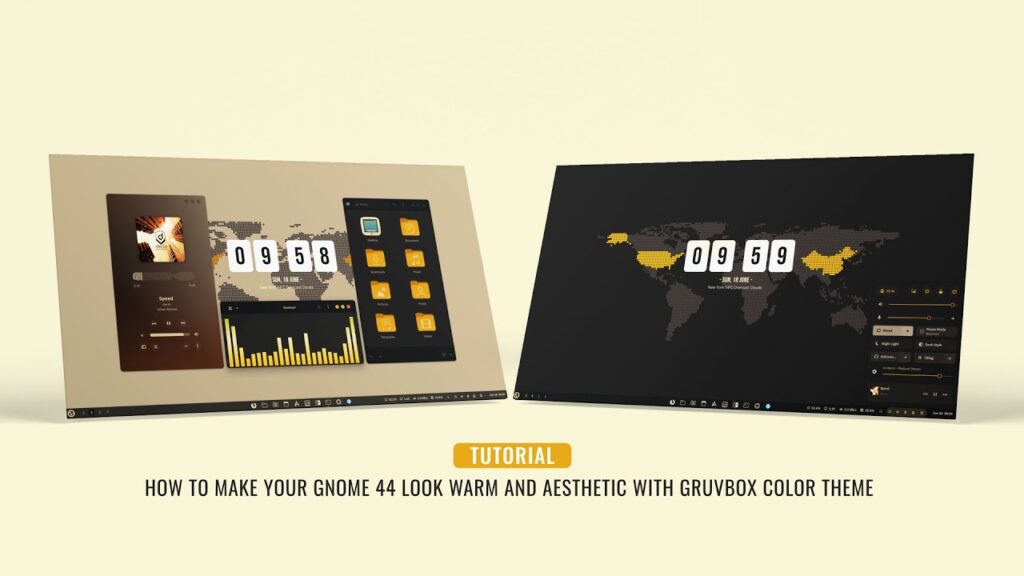
Gruvbox Dark creates a focused environment where colorful syntax elements stand out against the dark background. The screen feels less bright, making it suitable for prolonged coding sessions in dim rooms.
Gruvbox Light, on the other hand, creates a more traditional document-like appearance. It resembles reading text on paper, which many users find natural and comfortable.
The choice often depends on personal preference, workspace lighting, and daily workflow.
Readability Comparison
Readability is one of the most important factors when choosing a theme.
Gruvbox Dark Readability
Gruvbox Dark provides excellent syntax separation. Functions, variables, keywords, and strings are easy to distinguish from one another.
Many developers find that dark themes help them focus on code because unnecessary screen brightness is reduced.
However, some users may experience difficulty reading large blocks of text for extended periods, especially in bright environments.
Gruvbox Light Readability
Gruvbox Light offers strong readability in daylight conditions. Text often appears sharper because dark characters sit on a light background.
Long documentation sessions may feel easier with a light theme because the reading experience resembles printed material.
For users who spend significant time reading code rather than writing it, Gruvbox Light can be a strong choice.
Eye Strain and Comfort
One of the biggest reasons developers switch themes is eye comfort.
Eye Comfort with Gruvbox Dark
Dark themes are often associated with reduced eye strain during nighttime coding. Since the screen emits less perceived brightness, the eyes may feel more relaxed in dark environments.
Gruvbox Dark improves this experience by avoiding harsh black backgrounds.
Benefits include:
Comfortable night coding
Reduced glare
Relaxed viewing experience
Modern appearance
Eye Comfort with Gruvbox Light
Light themes can be more comfortable during the daytime. In bright rooms, the contrast between the screen and surrounding environment remains balanced.
Benefits include:
Natural reading experience
Excellent visibility in sunlight
Reduced squinting in bright environments
Professional appearance
The ideal choice depends largely on where and when you code.
Productivity Considerations
Many developers wonder whether theme selection affects productivity.
While coding skill remains the most important factor, visual comfort can influence concentration levels.
Productivity with Gruvbox Dark
Developers often report feeling more focused with dark themes because distractions are minimized.
The darker interface encourages attention toward active code sections.
Many programmers who work late at night prefer Gruvbox Dark because it helps maintain concentration during long sessions.
Productivity with Gruvbox Light
Some developers process information more effectively on light backgrounds.
Code reviews, documentation reading, and analytical tasks may feel easier because the content appears clearer.
Productivity improvements often come from improved readability rather than aesthetics alone.
Best Environment for Gruvbox Dark
Gruvbox Dark performs best in:
Low-light rooms
Nighttime coding sessions
Gaming setups
Dark office environments
Home workstations
Developers who spend evenings programming often find Gruvbox Dark more comfortable.
The reduced brightness can make long sessions feel less tiring.
Best Environment for Gruvbox Light
Gruvbox Light performs best in:
Bright offices
Sunlit rooms
Educational settings
Daytime development
Shared workspaces
In environments with abundant natural light, the lighter theme often improves visibility.
Psychological Impact of Theme Choice
Color schemes can influence mood and perception.
Gruvbox Dark often creates a modern, technical, and immersive feeling. Many developers describe it as helping them enter a focused coding mindset.
Gruvbox Light creates a clean, organized, and professional atmosphere. It often feels similar to reading technical books or documentation.
Neither effect is objectively better. The best option depends on individual preferences.
Which Theme Is Better for Beginners?
Students and beginner programmers often ask which version they should start with.
For most beginners, the answer depends on study conditions.
If you usually learn programming at night or in a dim room, Gruvbox Dark may provide a more comfortable experience.
If you study during the day in classrooms or libraries, Gruvbox Light may offer better readability.
Many students eventually experiment with both versions before settling on a favorite.
Customization Options
One of Gruvbox’s strengths is flexibility.
Both dark and light variants support:
Soft contrast settings
Medium contrast settings
Hard contrast settings
Custom syntax colors
Terminal integration
Editor-specific modifications
This allows developers to fine-tune the theme according to their preferences.
Popular Developer Opinions
Across developer communities, Gruvbox Dark generally receives more attention and popularity.
Many programmers appreciate its iconic appearance and comfortable coding environment.
However, Gruvbox Light has a dedicated fan base that values its readability and unique warm background tones.
A common observation is that developers who initially prefer dark themes often remain loyal to Gruvbox Dark, while those who appreciate document-style reading frequently choose Gruvbox Light.
Switching Between Dark and Light Themes
Many modern editors allow automatic theme switching.
Some developers use:
Gruvbox Light during daytime
Gruvbox Dark during evening hours
This approach combines the strengths of both themes and adapts to changing lighting conditions.
If your editor supports scheduling or automatic appearance changes, switching between variants can be a practical solution.
Common Mistakes When Choosing a Theme
Many developers make decisions based solely on appearance.
Instead, consider:
Workspace lighting
Coding duration
Reading habits
Monitor quality
Personal eye comfort
A theme that looks attractive may not necessarily provide the best long-term comfort.
Testing each version for several days is usually the best approach.
How to Decide Which Theme Is Right for You
Ask yourself the following questions:
Do you code mostly during the day or night?
Is your workspace bright or dim?
Do you spend more time reading or writing code?
Do your eyes become tired quickly?
Do you prefer modern dark interfaces or traditional light interfaces?
Your answers can help determine which variant better matches your workflow.
Final Verdict
The debate between Gruvbox Dark and Gruvbox Light does not have a universal winner. Both themes are carefully designed, visually appealing, and highly functional.
Gruvbox Dark is generally the better choice for developers who work in low-light environments, enjoy modern interfaces, and prefer reduced screen brightness. Its warm colors and balanced contrast make it one of the most comfortable dark themes available.
Gruvbox Light excels in bright environments, daytime coding sessions, and situations where readability is the highest priority. Its soft background tones provide a refreshing alternative to traditional white themes.
The best approach is to try both versions in your actual working environment. After a few days of coding with each theme, you will quickly discover which one feels more natural and productive for your workflow.
FAQs
Is Gruvbox Dark more popular than Gruvbox Light?
Yes, Gruvbox Dark is generally more popular among developers, especially those who prefer dark coding environments.
Does Gruvbox reduce eye strain?
Many developers find Gruvbox more comfortable than other themes because of its balanced contrast and warm color palette.
Can I switch between Gruvbox Dark and Light?
Yes, most editors allow you to switch between the two versions easily.
Which Gruvbox theme is best for students?
Students who study during the day may prefer Gruvbox Light, while those who code at night often find Gruvbox Dark more comfortable.
Is Gruvbox available for Visual Studio Code?
Yes, Gruvbox is available for Visual Studio Code and many other popular code editors.
Should I use Gruvbox Dark or Light?
Choose Gruvbox Dark for low-light environments and Gruvbox Light for bright environments. The best choice depends on your personal comfort and workflow.
Meta Description:
Compare Gruvbox Dark vs Light themes and discover which option offers better readability, comfort, productivity, and coding experience for developers.